Have you been grinding through Control Resonant since its launch last week and finding the combat a bit of a slog thanks to those spongy enemies? You're not alone. Many players are feeling the fatigue from mashing buttons to take down the Hiss, and it's making longer sessions tough.
The issue isn't necessarily difficulty—it's the sheer amount of button pressing. All that mashing can lead to repetitive strain, carpal tunnel, or just wear out your gamepad faster. But there's a solution you might not have considered: back buttons on your controller.
Back buttons effectively double up a function you already have. By mapping a spare back or shoulder button to your attack, you get two ways to deal damage. You can alternate between them or press them in sequence for a combo. This simple change can reduce fatigue and make combat feel less tedious.
Now, back buttons are typically found on "pro" controllers, which can be pricey—especially for PS5 players, as Sony's licensed controllers are notoriously expensive. But PC and Xbox players have plenty of affordable options, like the GameSir Cyclone 2 ($55.99), FlyDigi Vader 5S ($59.99), GameSir G7 Pro ($79.99), and Manba One ($69.99).
Another cool feature of back buttons is their macro capability. You can map a sequence of presses—like Dylan's Aberrant, then combat finisher, then stronger attack—to a single button. While some might argue this takes away from the engaging combat, it can be a lifesaver if you're struggling with difficulty.
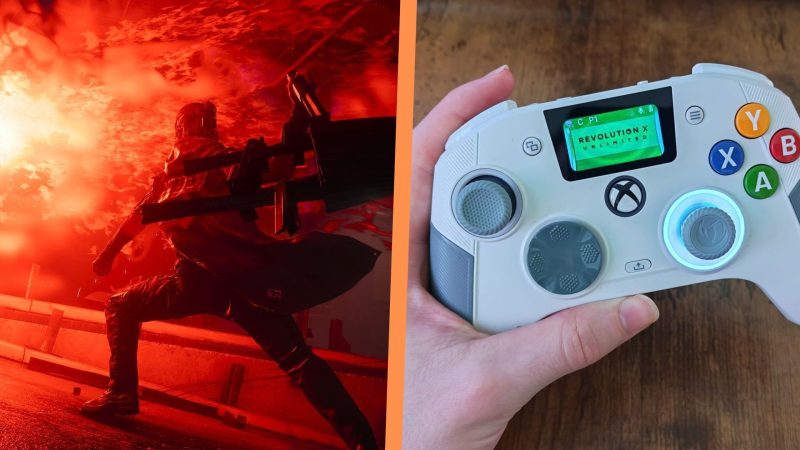
I've been using the FlyDigi Apex 5 and Nacon Revolution X Unlimited, both on the pricier side. The Nacon RXU is particularly comfortable with light-actuation buttons that are forgiving for mashing. If you have the budget, it's worth considering. The GameSir Tarantula 8K also shines here—macro-mapping an attack sequence frees up your brain to focus on dodging, camera control, and environmental tactics.
Of course, if you're still finding it tough, you can tweak the assist mode in gameplay settings to adjust Dylan's damage output, falter level, and more. Spongy enemies might be a design flaw, but with the right hardware tweaks, you can make the experience smoother. Back buttons and macros are common on Xbox and PS5 controllers now, and setup is quick. PC players have tons of cheap alternatives too.
So, will you be giving back buttons a try to save your thumbs? Let us know in the comments!
Comments (0)
Log in to join the discussion
Log InNo comments yet