
Sony just dropped a new update for the PlayStation Portal, and it's all about keeping your battery healthy for the long haul.
The 7.1.7 system update is rolling out now for the streaming handheld, and while it mainly focuses on system stability, there's one feature that stands out: a new charging limit. After installing the update, your PS Portal will default to charging only up to 80% instead of a full 100%.
Why 80%? Well, keeping a battery topped off at 100% all the time can wear it down faster over months and years. By capping the charge at 80%, Sony is trying to reduce that long-term stress and help your Portal's battery last longer.
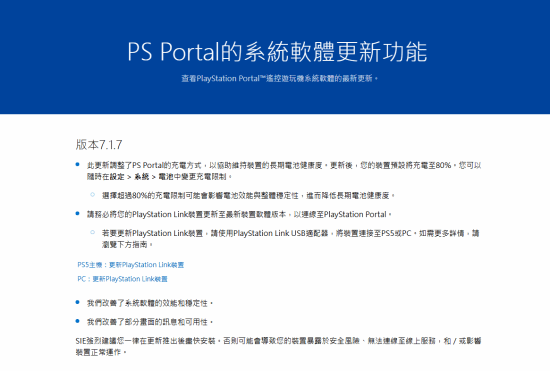
Don't worry if you prefer a full charge—you're not stuck with the 80% limit. You can head into Settings → System → Battery and adjust the charging cap whenever you want. Just keep in mind Sony's warning: setting the limit above 80% might affect battery performance and overall system stability, which could lower your battery's health over time.
Beyond the battery tweak, the update also improves some on-screen prompts and makes navigating the interface a bit smoother. It's not a huge overhaul, but every little bit helps.

One more thing: if you use PlayStation Link devices with your Portal, you'll need to update them to the latest software version before they'll connect properly. To do that, just plug the PlayStation Link USB adapter into your PS5 or PC and run the update.
So, are you team "charge to 100%" or team "80% for longevity"? Let us know in the comments!
Comments (0)
Log in to join the discussion
Log InNo comments yet