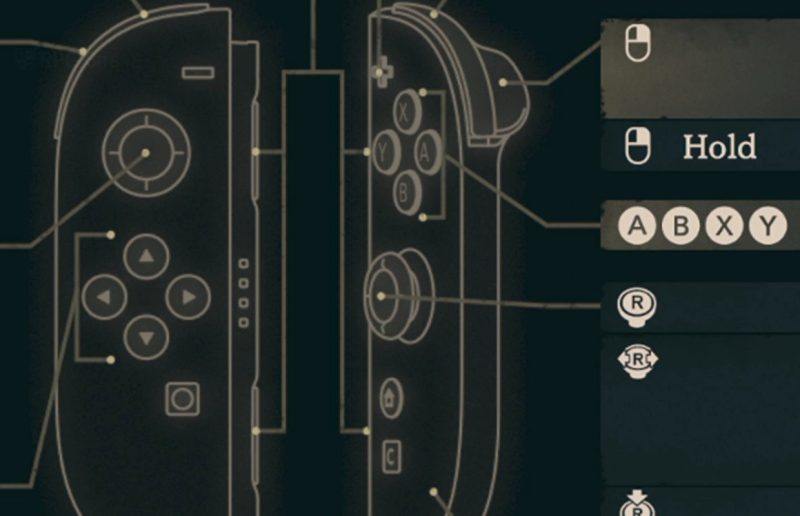
Ever wished you could point and click your way through a tactical battle instead of wrestling with a controller? In Fire Emblem: Fortune's Weave, you might just be able to do exactly that.
The game supports mouse controls using Joy-Con 2 controllers, giving you a whole new way to command your units on the battlefield. If you're the kind of player who prefers a cursor over a D-pad, this is a feature worth knowing about before you dive in.
So how does it work? The setup revolves around your Joy-Con 2 controllers, which can function as a mouse-style input for the game. That means you can navigate menus, select units, and issue commands with a pointer rather than traditional stick-and-button inputs.
For tactics fans, that's a pretty appealing option. Strategy games have long thrived on mouse and keyboard setups, so bringing that style of control to Fire Emblem: Fortune's Weave could make menu-heavy battles feel a lot smoother. If you've ever fumbled a unit placement at a critical moment, you know the pain.
Our guide walks you through enabling and using these mouse controls step by step, so you can get set up without the guesswork. Whether you're a longtime Fire Emblem veteran or a newcomer drawn in by Fortune's Weave, having the option to play your way is a nice bit of flexibility.
It's also a reminder that control options are becoming a bigger deal in modern gaming. Players increasingly expect to choose the input method that suits them, and Fire Emblem: Fortune's Weave is embracing that trend with Joy-Con 2 mouse support.
If you're planning to give it a try, getting the controls configured correctly from the start will save you plenty of frustration later. Once it's set up, you can focus on what really matters: outmaneuvering your enemies and keeping your favorite units alive.
Will you be trying the mouse controls, or are you sticking with the classic controller setup? Let us know what feels best for your playstyle.
Comments (0)
Log in to join the discussion
Log InNo comments yet